Fliki
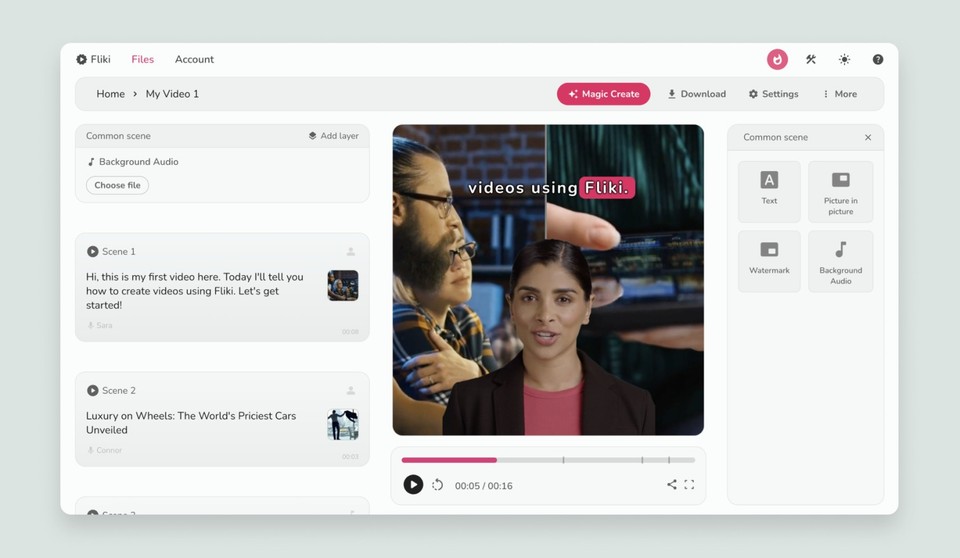
Fliki is an AI video creation platform that supports workflows such as text-to-video, idea-to-video, AI voiceover, avatars, subtitles, translation and other content-creation tools.
Explore AI video tools for turning ideas, scripts, images and other content into videos for YouTube, social media, marketing, education and more.
This section covers video generators, AI editors, faceless video platforms, avatars, text-to-video workflows and tools built for publishing at scale.
AI video tools use artificial intelligence to automate or assist parts of the video production process. Depending on the platform, you may start with a text prompt, a script, a blog post, an image, a presentation or raw footage.
The software can then help generate scenes, narration, subtitles, visuals, avatars, music or edits. Some platforms focus on one workflow while others combine several video-creation tools in one workspace.
Because the category is broad, choosing the right AI video tool starts with the type of video you actually need to produce.
Different video workflows require different features.
Fliki is an AI video creation platform that supports workflows such as text-to-video, idea-to-video, AI voiceover, avatars, subtitles, translation and other content-creation tools.
Syllaby combines AI video creation with social-media-focused workflows. Its current platform includes faceless videos, short- and long-form video, AI script generation, avatars, text-to-scenes, video editing and scheduling.
Text-to-video software turns written input into scenes, visuals, narration and other video elements. The starting point can be a finished script, a paragraph, a blog post or a short prompt depending on the platform.
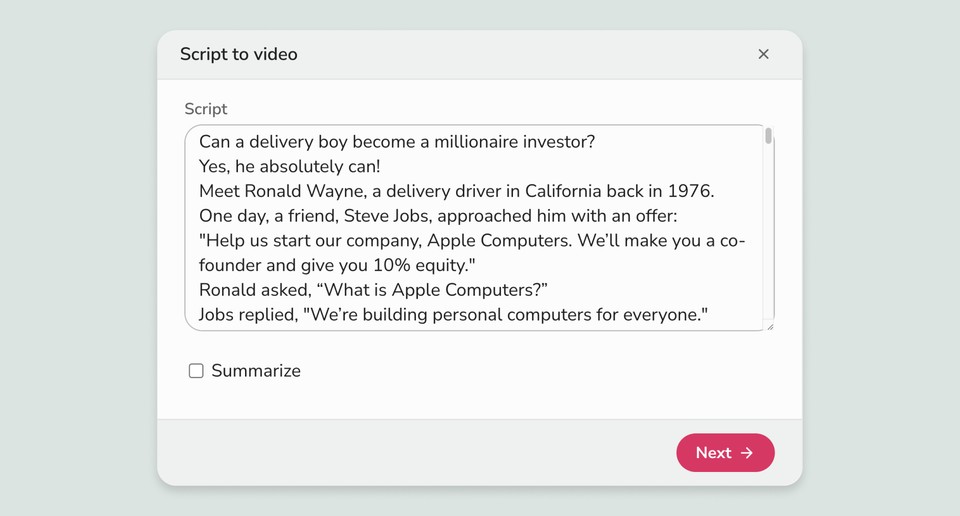
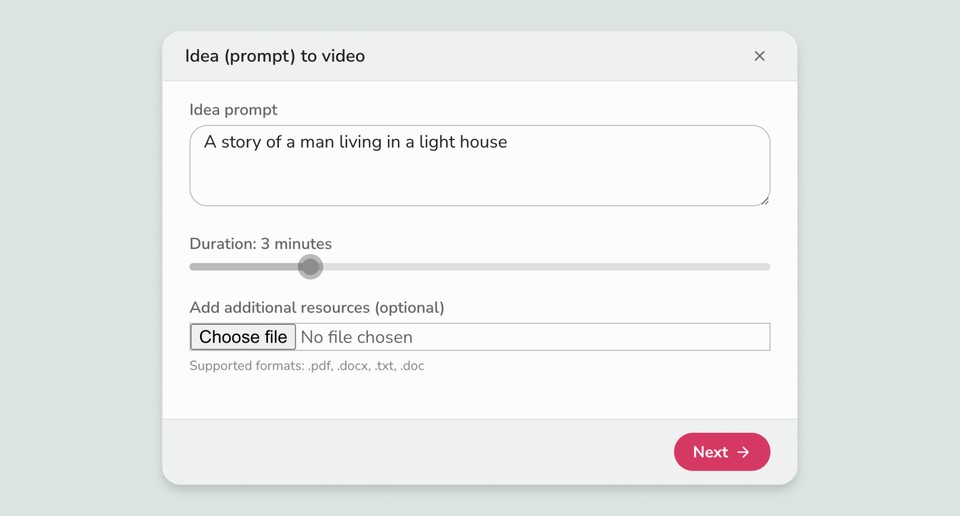
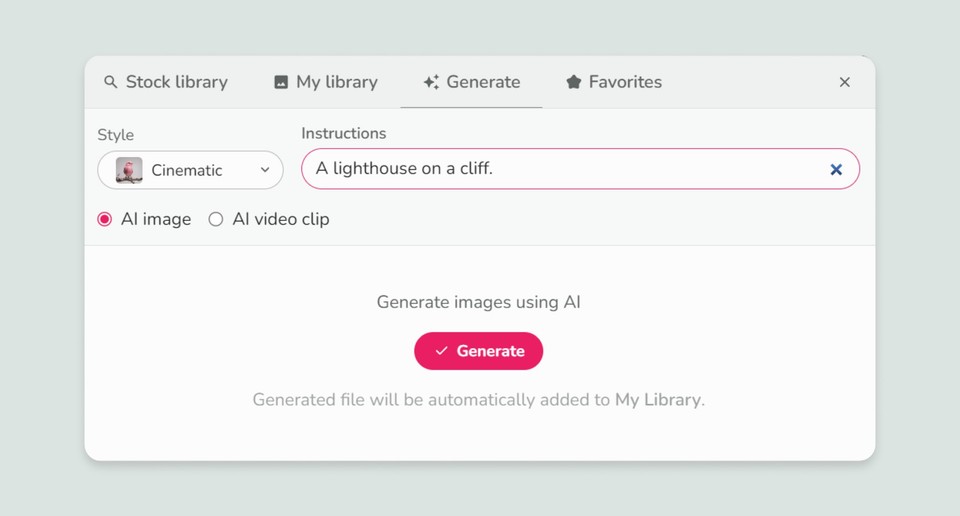
Fliki currently supports both script-based and prompt-based video workflows, while also allowing users to control visuals, voices and other scene elements.
Faceless video tools are designed for creators who want to produce content without appearing on camera. Depending on the platform, videos may combine AI-generated visuals, stock media, narration, captions and scenes.
Build a sequence from a script or topic.
Narrate content without recording yourself.
Combine generated or stock visual content.
Add subtitles for silent and mobile viewing.
AI avatar platforms let creators build presenter-led videos using digital presenters instead of recording every scene themselves.
This workflow is often used for training, product communication, explainers, social content, internal communication and other recurring videos.
AI video software can support both long-form YouTube workflows and short-form content. Some platforms also target faceless channels where the creator does not appear on camera.
Marketing teams can use AI video tools to create product demonstrations, social ads, promotional clips, educational content and other variations of video assets.
Once you know your use case, compare the features that affect the finished video and the amount of editing you will still need to do.
| Feature | Why It Matters | What to Check |
|---|---|---|
| Script Generation | Reduces the work needed before production. | Control over topic, tone and length |
| Visual Generation | Determines how scenes are visually built. | Stock, generated or uploaded media |
| AI Voices | Important for narration and presenter-free videos. | Voice quality and language choices |
| Avatars | Useful for presenter-led content. | Customization and lip-sync |
| Captions | Useful for mobile and silent viewing. | Languages and styling options |
| Editing | Lets you refine the generated result. | Scene, timing and media controls |
| Export | Determines how easily content reaches different platforms. | Resolution and aspect ratios |
| Scheduling | Useful for recurring social publishing. | Calendar and supported platforms |
Fliki and Syllaby overlap in AI video creation, but their current feature sets emphasize somewhat different workflows. This comparison is descriptive rather than a ranking.
| Area | Fliki | Syllaby |
|---|---|---|
| Text to Video | Yes | Yes |
| Faceless Video | Supported through video workflows | Dedicated faceless workflows |
| AI Avatars | Yes | Yes |
| Voice | AI voiceover and voice cloning | AI voices and voice-related workflows |
| Social Scheduling | Publishing-oriented workflows | Content calendar and scheduling features |
| Blog / URL to Video | Yes | URL-to-video workflow available |
| AI Models | Multiple image and video models | Multiple video and image models |
Free plans or trials can help you understand the workflow before adopting a platform for regular video production.
Check limits on generations, resolution, credits, watermarks and commercial use.
Paid plans may increase generation capacity and unlock additional features, export options, models or commercial-use benefits.
Compare the plan against your expected video volume rather than price alone.
Decide whether you need Shorts, long-form video, ads, training or explainers.
Start from a prompt, script, blog, image, presentation or footage.
Make sure you can refine scenes without rebuilding the whole project.
Look at voice quality, languages, cloning and presenter options.
Check aspect ratios, export resolution and publishing options.
Compare credits, generation limits and any model restrictions.
AI can automate many parts of production, but generated videos should still be reviewed for factual accuracy, visual consistency, narration quality, captions, branding and licensing.
The final workflow may also include manual editing, especially when the video needs to match a specific brand, product or audience.
We evaluate AI video tools around the actual workflow rather than looking only at how many AI features appear on a feature list.
Specific first-hand testing claims are added only after the PhoneLabs team has independently tested the relevant product.
Read the individual reviews first, then explore the tools directly when you are ready.
AI video tools use artificial intelligence to help generate, edit or enhance video content from prompts, scripts, images, presentations or existing footage.
An AI video generator creates video content from inputs such as text prompts, scripts, images or other source material.
Text-to-video AI turns written prompts or scripts into video scenes, often adding visuals, narration, captions or music.
A faceless video generator helps create videos without requiring the creator to appear on camera.
Yes. AI video platforms can support both long-form YouTube content and short-form videos such as Shorts.
Yes. Many platforms support short-form workflows designed for TikTok, Instagram Reels, YouTube Shorts and other social channels.
AI avatar videos use digital presenters to deliver a script instead of requiring the creator to record every scene themselves.
Yes. Common marketing workflows include product videos, ads, explainers, social content and promotional clips.
Compare workflow, video quality, script generation, voices, avatars, editing controls, captions, export options, pricing and usage limits.
Fliki is an AI video creation platform supporting text-to-video, idea-to-video, AI voiceover, avatars, subtitles, translation and related workflows.
Yes. Fliki provides script-to-video and text-to-video workflows.
Yes. Fliki includes AI avatar workflows for video creation.
Yes. Fliki offers AI voiceover and voice-related features.
Yes. Fliki supports blog-to-video workflows.
Syllaby is an AI-powered video and social content platform that includes faceless videos, AI scripts, avatars, video editing and content scheduling workflows.
Yes. Syllaby provides dedicated faceless video creation workflows.
Yes. Syllaby provides AI-assisted script generation and content outlining.
Yes. Syllaby provides AI avatar workflows, including its current avatar features.
Yes. Syllaby includes a content calendar and social publishing-related features.
Some platforms offer free plans or trials, while paid plans may provide higher limits, additional features or commercial-use options.
Yes. Reviewing the script, visuals, captions, branding, facts and licensing is important before publishing AI-generated videos.

Start with the type of video you need, compare the workflow and features, then explore the individual reviews on PhoneLabs.
Fliki Review Try Fliki Syllaby ReviewSome links on this page are affiliate links. PhoneLabs may earn a commission at no additional cost to you.
More AI video tools will be added as PhoneLabs expands this directory.
AI Video Tools for Social Media
Social video workflows usually prioritize speed, vertical formats, captions, short scenes and repeatable publishing processes.
TikTok
Vertical short-form video and fast production workflows.
Instagram Reels
Short-form video with captions, hooks and visual pacing.
YouTube Shorts
Short vertical videos designed for quick consumption.
LinkedIn
Educational, business and professional video content.