
An AI-generated voice does not decide whether a YouTube channel can earn money. What matters is the work behind the finished video: the idea, research, script, visuals, editing, and the value viewers receive. A channel can use synthetic narration and still publish original work; a natural-sounding voice cannot make a repetitive or copied video original.
This guide looks at the monetization decision from the creator’s side: how YouTube distinguishes repetitive output from reused material, what to review before applying to the YouTube Partner Program (YPP), and how voice rights and AI disclosure fit into the process.
The key point
AI narration is a production method, not a monetization shortcut or an automatic rejection. YouTube evaluates the channel’s content and policy compliance.
- Original research, commentary, demonstrations, or storytelling help establish a video’s own contribution.
- Commercial voice rights do not replace YouTube’s monetization rules.
- AI disclosure is required for certain realistic synthetic or altered content, not every routine use of AI.
Can You Monetize a YouTube Channel That Uses AI Voiceovers?
Yes. YouTube does not set a blanket ban on AI narration. Its monetization policies focus on whether the channel publishes original, authentic material and follows the rules that apply to the content. The voice is one production choice; it is not proof that a video is either original or low-effort.
Consider two channels using the same text-to-speech tool. One publishes researched tutorials with its own demonstrations and explanations. The other turns online articles into near-identical slideshow videos. The narration technology is the same, but the viewer experience and the originality of the work are not. That distinction is central to a monetization review.
For the separate production question—writing a voice-ready script, choosing a narrator, and editing the audio—see our AI voiceover for YouTube production guide. This page focuses on channel eligibility rather than the mechanics of generating narration.
The Two YouTube Policies AI-Voice Creators Need to Understand
Inauthentic content: repetitive or mass-produced videos
YouTube uses the term inauthentic content for material that is repetitive, mass-produced, generic, or built from a template without meaningful differences between videos. The policy wording was updated on July 15, 2025, when YouTube renamed its repetitious-content policy to make that scope clearer. A familiar format is not automatically a problem: a series can share an intro, visual style, or structure when each episode contributes distinct substance.
The risk appears when the videos feel interchangeable. Examples include reading slightly rewritten versions of the same script, publishing batches of near-identical list videos, or changing only a topic label while keeping the same generic narration and slideshow. The question is not whether you used a template. It is whether each upload gives viewers a meaningful reason to watch that particular video.
Reused content: republishing material without enough original contribution
Reused content concerns material taken from YouTube or another source and republished without significant original commentary, substantive changes, or educational or entertainment value. A copyright claim is not required for a channel to run into this policy. Equally, permission from the original creator does not by itself make reused material eligible for monetization.
For example, adding an AI voice to a compilation of other people’s clips does not automatically transform it into an original production. A review that selects relevant footage, explains what is happening, compares evidence, and develops a clear point of view is a different editorial project. Copyright rules still apply to the clips in either case.
Read YouTube’s channel monetization policies for the full definitions and examples.
| Policy | What YouTube is assessing | Common risk |
|---|---|---|
| Inauthentic content | Whether videos are repetitive, mass-produced, or too similar to offer distinct value | Many uploads built from the same script and visual template with minor changes |
| Reused content | Whether existing material has been transformed with significant original commentary, changes, or added value | Reposting clips, readings, or compilations with little meaningful contribution |
These policies can overlap, but they are not interchangeable. Check which issue describes the actual weakness in a video before changing your workflow.
What Original Contribution Looks Like in an AI-Narrated Video
There is no approved video formula that guarantees acceptance. A useful test is to ask what the creator has contributed beyond the narration. The contribution should be visible in the substance of the video, not just in the voice settings or thumbnail.
| Format | What gives it an original point of view | What can weaken it |
|---|---|---|
| Research-led explainer | A distinct question, checked sources, interpretation, and examples | Reading source material without adding analysis |
| Software tutorial | Your own screen recording, decisions, walkthrough, and troubleshooting | Generic stock footage in place of showing the actual process |
| Commentary or review | A clear argument supported by selected evidence and comparisons | Repeating a product description without an independent assessment |
| Template-based series | A consistent format with a genuinely different lesson or story in each episode | Changing only a few words while the substance stays the same |
| Read-aloud content | Original reporting, context, explanation, and meaningful editorial work | Turning someone else’s article or feed into narration with minimal changes |
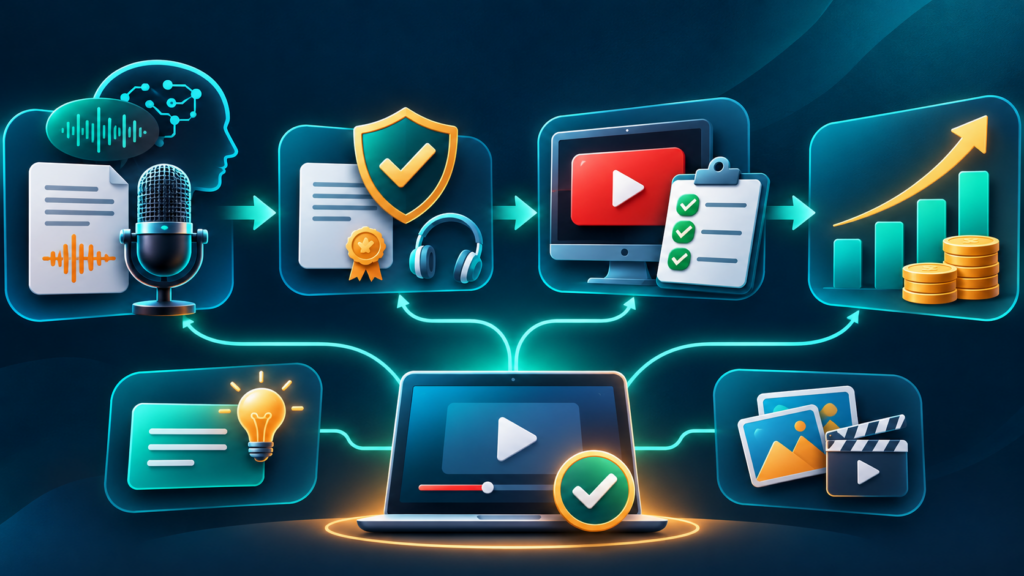
Faceless production is not the same as low-effort production. A creator can remain off camera while contributing original research, recorded demonstrations, custom diagrams, meaningful commentary, and careful editing. Conversely, showing a face or using a human voice does not repair a video that mainly republishes someone else’s work.
For Shorts creators who are still deciding how the narration should sound, our ElevenLabs voice guide for YouTube Shorts covers voice selection. The choice of narrator is separate from the originality standard discussed here.
How to Audit Your Channel Before Applying to YPP
Do not review only the video you are most proud of. YouTube says reviewers may look at the channel’s main theme, most-viewed videos, newest uploads, videos responsible for the largest share of watch time, metadata, and the About section. The review is channel-wide, so a few strong uploads may not tell the full story.
- Start with the videos that define the channel. Review your most-viewed uploads, recent videos, and the videos responsible for the largest share of watch time. Look for repeated scripts, generic slideshows, copied readings, or reused footage with little explanation.
- Check whether each video has a distinct purpose. Write one sentence describing the specific question, story, or problem each upload addresses. If several videos could use the same script with only a few nouns changed, rethink the format.
- Trace the source of the material. Keep notes for research, quotations, footage, music, images, and other assets. Confirm that you have the rights needed for the way each item is used.
- Make your contribution easy to recognize. Use original demonstrations, comparisons, commentary, examples, or a clear narrative. A viewer should be able to tell what your channel adds.
- Review the channel presentation. Make the About section, titles, thumbnails, and descriptions accurate and consistent with the actual videos. Do not use metadata to imply that you tested, filmed, or experienced something you did not.
- Keep evidence of your workflow. Save scripts, research notes, project files, screen recordings, and edit timelines. These records can help you explain how the work was made if you need to appeal a decision.
Before-you-apply checklist
- My highest-viewed and newest uploads represent the quality of the channel.
- Each video has a distinct topic, script, and viewer benefit.
- Any third-party footage, music, images, and quotations have been checked for rights.
- The channel About section and video metadata accurately describe the content.
- I can explain and show how the original work was researched and produced.
A useful final question is: if the synthetic narration were removed, would the video still contain original reporting, analysis, instruction, or creative decisions? If the answer is no, improve the underlying video rather than trying a different voice.
AI Voice Licenses, Copyright, and Monetization Are Separate Checks
A subscription that permits commercial use of a generated voice does not guarantee YPP approval. It addresses the rights granted by the voice provider; it does not decide whether YouTube considers the finished channel original or advertiser-friendly.
Before publishing, check the current terms for the exact plan and service you use. Confirm whether the license covers monetized videos, client work, distribution, and any limits on generated audio. Save a copy of the relevant terms or invoice where practical, because plan conditions can change.
Then check the rest of the production separately:
- Scripts and research: Write the narration yourself or transform source material through substantial original reporting, explanation, or analysis. Do not assume that paraphrasing a webpage makes it yours.
- Music, footage, and images: Confirm that each asset can be used in the intended context. A license for the voice does not cover stock footage or background music.
- Voice cloning: Use only voices you have the necessary rights and consent to use. A provider’s technical ability to clone a voice is not permission from the person whose voice is being cloned.
- Claims and endorsements: Do not use a synthetic voice to make a real person appear to endorse a product, give advice, or say something they never said.
When comparing tools for an AI-narrated YouTube workflow, consider what each one does best. A dedicated voice generator can handle narration, while an AI video editor can help assemble scenes, captions, and a finished draft. Compare the current plan limits and commercial-use terms before choosing either service.
Tools to consider for your production workflow
ElevenLabs — Explore AI narration, voice options, and text-to-speech tools for your video scripts.
InVideo — Explore an AI-assisted video creation workflow for turning ideas and scripts into video drafts.
These are optional tools, not a requirement for YPP approval. PhoneLabs may earn a commission if you sign up or purchase through these links, at no extra cost to you. Review each provider’s current plans and license terms before publishing monetized content. Affiliate disclosure.
For a broader comparison of narration options, see our AI voice over generator comparison; it focuses on choosing a voice platform rather than YouTube’s channel-level monetization review.
When Does YouTube Require an AI Disclosure?
YouTube’s disclosure rule is not a requirement to label every use of an AI tool. Creators must disclose content that is meaningfully altered or generated with AI when it appears realistic—for example, when it makes a real person appear to say or do something they did not, changes footage of a real event or place, or creates a realistic scene that never happened.
YouTube lists routine production assistance, such as help with an outline or script, audio repair, and cloning your own voice for voiceovers or dubs, among examples that do not require disclosure under this rule. That is different from making a realistic synthetic recording that could lead viewers to believe another person said something they never said.
Disclosure is not the same as monetization approval.
When disclosure is required, use the AI use setting during upload in YouTube Studio. The label informs viewers; it does not replace copyright, privacy, impersonation, or YPP requirements. YouTube says disclosure itself does not automatically limit a video’s audience or eligibility to earn money.
See YouTube’s official guidance on disclosing AI-generated or altered content before publishing realistic synthetic material.
YouTube Partner Program Requirements for AI-Voice Channels
Using AI narration does not change the subscriber or viewing thresholds. You still need to meet the YPP requirements that apply to your country and the type of monetization you want. YouTube currently has an earlier-access tier for eligible regions and a higher threshold for advertising and YouTube Premium revenue sharing.
Two current levels of YPP access
The expanded YPP has an earlier-access level for eligible countries and a separate threshold for advertising and YouTube Premium revenue sharing. The table compares the published requirements; eligibility also depends on policy compliance and the other account conditions listed below.
| Access level | Subscribers | Long-form route | Shorts route | What it unlocks |
|---|---|---|---|---|
| Earlier access | 500 | 3,000 valid public watch hours in 12 months | 3 million valid public Shorts views in 90 days | Eligible fan-funding and Shopping features; also requires 3 valid public uploads in 90 days |
| Ad revenue sharing (current) | 1,000 | 4,000 valid public watch hours in 12 months | 10 million valid public Shorts views in 90 days | Watch Page ads, Shorts Feed ads, and YouTube Premium revenue sharing |
| New applicants from Feb. 1, 2027 | 1,000 | 8,000 qualified watch hours in 365 days | 20 million qualified Shorts views in 90 days | Updated ad and Premium revenue-sharing threshold announced by YouTube |
Shorts Feed watch time does not count toward the long-form public watch-hour threshold. The earlier-access tier is not the same as eligibility for Watch Page ads, Shorts Feed ads, and YouTube Premium revenue sharing.
About the 2027 update: YouTube’s announcement on the upcoming YPP changes says creators already in YPP will not be affected, and the entry thresholds for Fan Funding and Shopping will remain unchanged. Check the Earn tab in YouTube Studio before applying, particularly if your application will be submitted on or after February 1, 2027.
Thresholds are only one part of eligibility. You must also follow the monetization policies, be in a supported country or region, have no active Community Guidelines strikes, turn on 2-Step Verification, have access to advanced features, and link an active AdSense for YouTube account when applying. Review the current YouTube Partner Program overview and eligibility rules and the expanded YPP requirements.
What Happens During a YouTube Monetization Review?
Once you apply in the Earn section of YouTube Studio, YouTube reviews the channel against its policies. Reviewers may focus on the channel’s main theme, most-viewed and newest videos, the content generating the most watch time, titles, thumbnails, descriptions, and the About section. These are examples rather than a fixed checklist of videos that every reviewer must inspect.
That is why a channel audit should look beyond the upload that triggered the application. If the newest videos are original but the channel’s most-viewed videos are largely reused compilations, the older catalogue may still matter. Make sure the content that defines the channel reflects the standard you want reviewers to see.
If YouTube Rejects Your Application
Start with the reason shown in YouTube Studio and the rejection email. Identify the policy named in the decision, then review the videos and channel elements most likely to relate to it. Avoid making random changes to thumbnails or voice settings when the issue is actually reused material or repetitive production.
If you believe the decision is incorrect, check whether an appeal is available and follow the deadline shown in Studio. An appeal should explain how the channel’s content is created and demonstrate the original work behind it; YouTube’s appeal guidance asks creators to show the production process, not simply state that the channel follows the rules. If the channel needs substantive changes instead, improve the relevant videos and reapply when the option becomes available. YouTube’s current rejection guidance describes a 30-day wait after a first rejection and 90 days after a subsequent rejection or reapplication, while an appeal must be submitted within the applicable window. Always use the dates and options displayed in your own Studio account.
See YouTube’s instructions for channels rejected for monetization and for appealing a YPP rejection or suspension.
Frequently Asked Questions
Does YouTube consider every AI voiceover reused content?
No. Reused content is about republishing existing material without enough original contribution. The use of text-to-speech alone does not make a video reused content.
Can a faceless channel qualify for YouTube monetization?
Yes. Appearing on camera is not a general YPP requirement. The channel still needs original, policy-compliant videos that provide clear value.
Does a commercial AI voice license guarantee monetization?
No. It addresses the provider’s usage rights. YouTube separately evaluates originality, reused content, advertiser suitability, and other program policies.
Do I have to disclose every AI-generated voice?
No. YouTube’s disclosure requirement focuses on realistic content that is meaningfully generated or altered in ways that could mislead viewers. Check the official examples, particularly when a voice imitates a real person.
Can I use the same AI voice in every video?
Yes, voice consistency is a production choice. The videos themselves still need distinct substance; using the same narrator does not make original episodes inauthentic, and changing narrators does not make repetitive episodes original.
Can I monetize AI-narrated YouTube Shorts?
Yes, provided the Shorts and the channel meet the applicable YPP and content policies. The same originality, reused-content, disclosure, and rights checks apply.
The Practical Standard to Aim For
Build the channel around work that could not be produced by simply feeding a webpage into a voice generator. Give each upload its own reason to exist: a useful demonstration, a researched explanation, an argument, a comparison, or a story shaped by your editorial decisions. Keep the rights and production records that support the work, and check the current YPP requirements before you apply.