
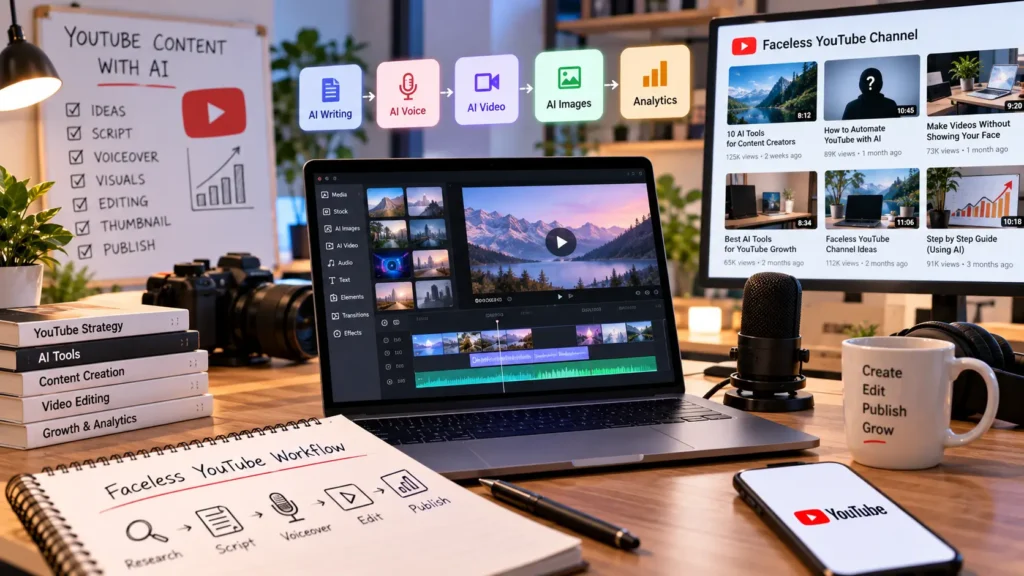
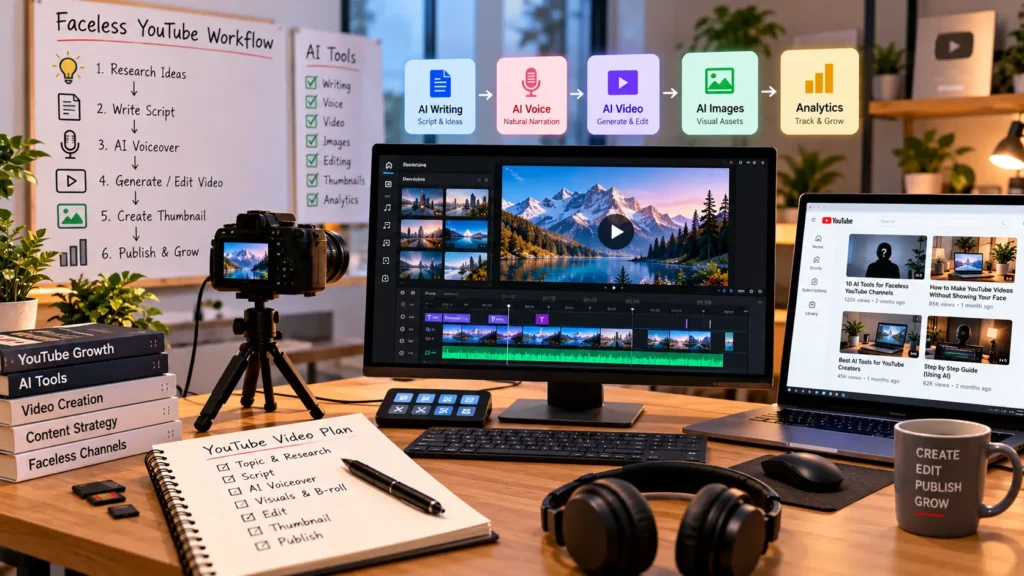
You can build a YouTube channel without appearing on camera, but a faceless channel still needs a solid production process. You need a topic, a script, narration, visuals, editing, and a title and thumbnail that give viewers a reason to click.
AI can speed up many of these steps, but there is no need to force everything into one tool. A better approach is to build a simple workflow and use the right tool for each part of production.
This guide breaks that workflow down so you can see what you actually need, where AI helps, and how to choose tools without filling your channel with generic, repetitive content.

Quick answer: A useful faceless YouTube workflow usually includes research, scripting, voiceover, visuals, editing, and video packaging. AI can reduce the manual work in each stage, but the topic, angle, facts, and final quality still need human input.
What Do You Need to Make a Faceless YouTube Video?
Before choosing any AI software, break the video into the actual jobs involved.
| Stage | What You Need |
|---|---|
| Research | A useful topic, audience, angle, and reliable information |
| Script | A clear hook, structure, examples, and natural pacing |
| Voice | Clear and consistent narration |
| Visuals | Footage, images, screen recordings, animation, or generated scenes |
| Editing | Timing, captions, transitions, music, and pacing |
| Packaging | A clear title and thumbnail that match the video |
Once the workflow is clear, you can decide where AI is genuinely useful instead of paying for tools you do not need.
What Type of Faceless YouTube Channel Are You Building?
The right production workflow depends on the format of your channel.
Educational and Explainer Channels
These usually need stronger research, structured scripts, narration, diagrams, screen recordings, or supporting footage.
Storytelling Channels
Story channels depend heavily on narration, pacing, scene changes, and visual variety. The script matters more than having the most advanced generator.
Product and Software Channels
These can often rely on screen recordings, demonstrations, screenshots, voiceover, and supporting visuals rather than completely generated scenes.
List and Comparison Channels
These benefit from a repeatable research and scripting workflow because each video may cover several products, tools, or ideas.
Shorts-Focused Channels
Shorts need tighter scripts, faster hooks, quicker visual changes, and captions that work well in a short viewing session.
Where Can AI Help in a Faceless YouTube Workflow?
AI is most useful when it removes repetitive work or helps you move from an idea to a usable draft faster.
Topic Research
AI can help organize research, summarize information, generate angles, and turn a broad topic into a more focused idea. You still need to verify important claims before publishing them.
Script Writing
AI can help with outlines, hooks, first drafts, rewrites, and shorter versions of existing scripts. The final version should be edited so it sounds natural when spoken.
For a practical guide to using AI during the writing process, see how to use AI for writing.
Voice Generation
AI voice tools can handle narration when you do not want to record yourself. Consistency matters more than having dozens of different voices. Pay attention to pronunciation, pauses, speed, and tone.
Visual Creation
Visuals can come from stock footage, AI-generated images, AI video, screen recordings, animation, or a combination of these formats.
Video Production
Some platforms can turn a script into a draft video, combine narration with visuals, or simplify repetitive editing tasks.
How AI Video Tools Fit Into Faceless YouTube
AI video tools are not all built for the same job. Some create full videos from scripts, while others generate individual scenes, animate images, or speed up editing.
Script-to-Video Tools
These are useful when you already have a script and want to turn it into a first video draft quickly.
Text-to-Video Tools
These focus more on generating scenes from written prompts. They are useful when stock footage cannot show what you need.
Image-to-Video Tools
These can add movement to still images, making them useful for illustrated stories, product visuals, and channels built around generated imagery.
AI Editing Tools
Some tools focus on editing rather than generating the entire video. They can help with captions, cuts, cleanup, formatting, and other repetitive tasks.
See our guide to AI video tools for a broader look at the different types and what they are used for.
Want to Turn Scripts Into Videos Faster?
Fliki is worth testing if you want a simpler workflow for combining scripts, narration, and visuals into video content.
How to Create a Faceless YouTube Video With AI
The easiest way to keep quality under control is to build the video in stages rather than asking one tool to do everything.
Step 1: Choose a Narrow Topic
Start with a specific audience and a specific question, problem, or curiosity. A focused topic makes research, scripting, and packaging much easier.
Step 2: Decide What the Viewer Should Get From the Video
Know whether the video is meant to teach, explain, compare, entertain, review, or help the viewer make a decision.
Step 3: Build the Hook First
The opening should quickly establish why the video is worth watching. Avoid spending the first few seconds on a long channel introduction or generic setup.
Step 4: Write the Script
A simple structure works well for many formats:
Hook → Problem or Question → Main Points → Examples → Takeaway → CTA
Write for the ear rather than the page. Shorter sentences and natural transitions make narration easier to follow.
Step 5: Create the Voiceover
Generate or record the narration before arranging the final visual sequence. The voice track gives you a timing reference for the edit.
Step 6: Match Visuals to the Narration
The visuals should support what the narrator is saying. Do not force the script to fit random clips simply because those clips were easy to generate.
For example, a software tutorial may work better with screen recordings, while a storytelling channel may need a mixture of images, animation, maps, and generated scenes.
Step 7: Edit for Retention
Remove unnecessary pauses, repeated points, and sections that do not move the video forward. Change visuals when the subject changes, but do not add motion just for the sake of motion.
Step 8: Create the Thumbnail and Title
The title should communicate the video’s promise clearly. The thumbnail should support that promise and make the topic easy to understand at a glance.
Step 9: Publish and Review the Results
After publishing, review click-through rate, viewer retention, average view duration, and where viewers leave. Use those signals to improve the next video rather than simply publishing more of the same.
How Much of the Process Can AI Actually Handle?
A modern AI workflow can cover a large amount of repetitive production work, but production automation is not the same as channel strategy.
AI Can Help With
- Research organization
- Script drafts
- Voiceovers
- Visual generation
- Captions
- Rough video assembly
- Content variations
You Still Need to Handle
- Audience selection
- Topic choice
- Original angles
- Fact-checking
- Final editing
- Storytelling decisions
- Quality control
A faster workflow is useful only when the final video is still worth watching.
Can You Build a Faceless Channel With One AI Tool?
Sometimes, but there are usually trade-offs.
An all-in-one platform can make production simpler because several steps happen in one place. Specialized tools can provide more control over writing, voices, visuals, or editing, but they also create a more complicated workflow.
For beginners, simplicity often matters more than having access to every possible feature.
What Does a Good Faceless YouTube Workflow Look Like?
Research → Find the topic and useful angle
Script → Build the story and structure
Voice → Create the narration
Visuals → Gather or generate supporting visuals
Edit → Match visuals, pacing, captions, and sound
Publish → Package the video and review the results
The software can change as better tools appear. A repeatable workflow is what keeps production manageable.
How to Choose the Right AI Tool for Your Faceless Channel
| Your Main Problem | Look For |
|---|---|
| Writing takes too long | AI writing tool |
| You do not want to record narration | AI voice tool |
| Visual production is slow | AI image or video tool |
| Editing takes too much time | AI editing tool |
| Social content is hard to keep consistent | Content planning and video workflow tools |
What About YouTube Shorts?
Shorts use the same basic production process, but everything is compressed. The hook needs to arrive earlier, the script needs to be tighter, and the visuals usually need to move faster.
This makes consistency especially important if you plan to publish Shorts frequently.
Need a More Consistent Social Video Workflow?
Syllaby is worth evaluating when you want a more structured way to plan and create social-focused content for a faceless channel.
What Makes a Faceless YouTube Video Good?
A Clear Reason to Watch
The viewer should understand what they will learn, discover, compare, or get from the video.
A Script That Sounds Natural
AI can produce clean writing that still sounds robotic when spoken. Rewrite awkward phrases and remove unnecessary filler before generating the final narration.
Visuals That Support the Story
Every visual should either explain something, demonstrate something, reinforce the point, or help maintain attention.
Consistent Pacing
Long pauses, repeated ideas, and unnecessary sections can hurt retention even when the overall topic is strong.
An Original Angle
Two channels can cover the same topic and produce very different videos. The angle, examples, commentary, and structure are what give a channel its identity.
Common Faceless YouTube Mistakes
Trying to Automate Everything
Automation can remove repetitive work, but it should not remove the decisions that make the content useful.
Using Generic Scripts
If the script could belong to any channel in the niche, it becomes much harder to stand out.
Choosing a Voice That Sounds Unnatural
A weak voiceover can make otherwise useful content feel low quality.
Using Random Visuals
Visuals that do not match the narration make the video harder to follow and can quickly feel repetitive.
Publishing Too Much Too Soon
More uploads will not fix weak topics, poor packaging, or low retention. Improve the process first.
Ignoring the Thumbnail and Title
A useful video can still underperform if viewers cannot immediately understand what they will get from it.
How Much Does an AI Faceless YouTube Workflow Cost?
Low-Cost Setup
You can start with free or low-cost tools for scripting, narration, basic editing, and thumbnails. This is a sensible way to test a channel idea before adding several subscriptions.
Mid-Range Creator Setup
A paid writing tool, voice solution, and video platform can make production faster while keeping the workflow manageable.
Higher-Quality Production Setup
A more advanced workflow may use specialized tools for research, writing, voice, visuals, editing, thumbnails, and analytics. This gives you more control but also increases cost and complexity.
Start with the smallest setup that lets you produce useful videos consistently.
Can a Faceless YouTube Workflow Help a Small Business?
Faceless video is not limited to YouTube channels. A business can use the same production process for tutorials, product explainers, educational videos, FAQs, social clips, and other marketing content.
Once video is only one part of your workflow, you can look at other ways AI can help with content, marketing, productivity, and day-to-day business tasks in our guide to the best AI tools for small business.
Frequently Asked Questions
What are the best AI tools for faceless YouTube videos?
The best tool depends on which part of production you want to improve. You may need separate tools for writing, voice generation, visuals, video creation, or editing.
Can AI create an entire faceless YouTube video?
Some platforms can automate a large part of the production process, but the final result still needs human review for accuracy, pacing, originality, and quality.
What is the best AI voice for YouTube videos?
The best voice is one that sounds natural, fits the channel, handles the language well, and remains consistent from one video to another.
What is the best AI video generator for faceless channels?
That depends on your format. Script-to-video tools are useful for fast production, while other platforms are better for generating scenes, animating images, or editing existing material.
Can you monetize AI-generated YouTube videos?
Using AI does not automatically make a channel valuable or original. The quality, usefulness, originality, and overall value of the published content still matter.
How do I start a faceless YouTube channel with AI?
Choose a focused topic, define the audience, build a repeatable production process, publish a small batch of videos, and use the results to improve the workflow.
How much does it cost to make a faceless YouTube video with AI?
The cost depends on how much of the workflow you automate and how many paid tools you use. You can start with a low-cost setup and add software as the channel grows.
Final Verdict
You do not need to appear on camera to build a YouTube channel, but you do need a process that produces useful videos consistently.
Start with the topic and audience, build the script around a clear viewer benefit, then use AI where it genuinely saves production time. Keep human control over the research, angle, facts, storytelling, and final edit.
Do not start by buying every AI tool you see. Start with the part of your workflow that takes the most time, improve that step, and build from there.
Pingback: AI Tools for Product Design: From Idea to Prototype - phone labs
Pingback: How to Make AI Videos With Voice: A Step-by-Step Guide - phone labs