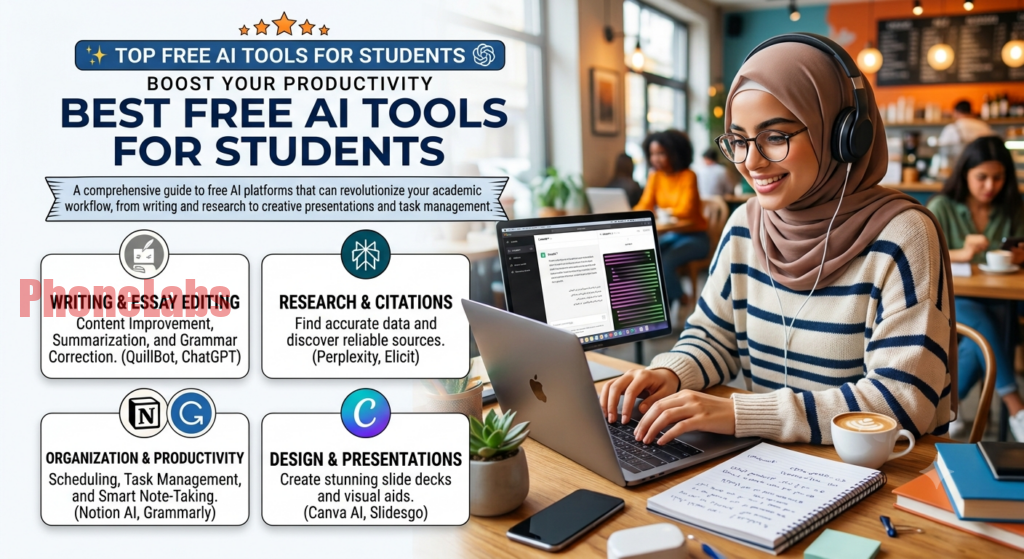

Finishing assignments faster, understanding difficult topics, and staying organized has never been easier thanks to AI. If you’re looking for the best free AI tools for students 2026, you’re in the right place. From writing assistants and research tools to AI-powered flashcards and presentation creators, today’s free AI apps can help you study more efficiently without replacing your own learning. Here’s a carefully selected list of the best free tools every student should know in 2026.
How AI Is Changing the Way Students Study in 2026
Artificial intelligence has become a practical study companion rather than just a novelty. Students now use AI to summarize long articles, explain difficult concepts, organize research, improve writing, generate study guides, and even create presentation slides in minutes using some of the best AI tools in 2026.
The biggest advantage isn’t simply saving time—it’s making learning more personalized. Instead of reading hundreds of pages, students can quickly identify the most important information and spend more time understanding the material.
The best AI tools also work across multiple devices, making it easy to switch between a laptop, tablet, and smartphone without losing progress.
Practical Tip: Use AI to understand concepts, not to replace your own thinking or complete assignments without review.
1. ChatGPT Free — Best AI Writing Assistant for Students
ChatGPT remains one of the most versatile AI tools available.
Best For
- Essay brainstorming
- Homework explanations
- Coding help
- Study plans
- Language practice
- Email writing
The free version supports natural conversations and can explain complex topics in simple language. It’s especially useful for generating outlines before writing your own work.
Limitations
- May occasionally provide incorrect information.
- Always verify facts for academic work.
Practical Tip: Ask ChatGPT to explain concepts “like you’re teaching a beginner” for clearer answers.
2. Google NotebookLM — Best for Research and Summarizing
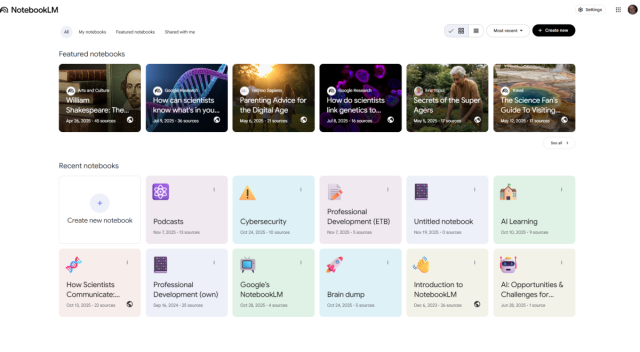
NotebookLM is designed specifically for working with your own documents.
Features
- Upload PDFs
- Analyze Google Docs
- Summarize lecture notes
- Generate study guides
- Answer questions based only on your uploaded materials
Unlike general AI chatbots, NotebookLM focuses on your own sources, reducing the risk of irrelevant information.
Practical Tip: Upload lecture slides before exams to create personalized revision notes.
3. Perplexity AI — Best AI Search Engine for Students
Perplexity combines AI responses with web search and citations.
Students can:
- Research topics
- Find recent information
- Compare viewpoints
- Explore follow-up questions
One of its biggest strengths is linking answers to original sources, making it easier to verify information.
Practical Tip: Always review the cited sources before including information in an assignment.
4. Grammarly Free — Best AI Grammar and Writing Checker
Grammarly helps improve writing without rewriting your entire assignment.
Free Features
- Grammar checking
- Spelling corrections
- Punctuation suggestions
- Basic clarity improvements
- Tone detection
It integrates with Chrome, Microsoft Word, Google Docs, and many other apps.
Practical Tip: Review Grammarly’s suggestions instead of accepting every change automatically.
5. Wolfram Alpha — Best AI for Math and Science
For STEM students, Wolfram Alpha remains one of the most valuable tools available.
It can solve:
- Algebra
- Calculus
- Statistics
- Chemistry
- Physics
- Engineering equations
Unlike a calculator, it often provides step-by-step explanations for many problem types.
Practical Tip: Use the solution steps to learn the process rather than copying the final answer.
6. Canva AI — Best for Presentations and Visual Projects
Canva has expanded its AI-powered design features dramatically.
Students can quickly create:
- Class presentations
- Infographics
- Posters
- Social media graphics
- Timelines
- Visual reports
Magic Design automatically generates presentation layouts from simple prompts.
Practical Tip: Customize AI-generated templates so your presentation looks unique.
7. Quizlet AI — Best for Flashcards and Memorization
Quizlet’s AI features simplify exam preparation.
Students can:
- Generate flashcards automatically
- Create quizzes
- Practice with adaptive learning
- Test vocabulary
- Review definitions
The AI identifies weak areas and adjusts future practice accordingly.
Practical Tip: Spend extra time reviewing cards you answer incorrectly rather than repeating everything equally.
8. Otter.ai Free — Best for Recording and Transcribing Lectures
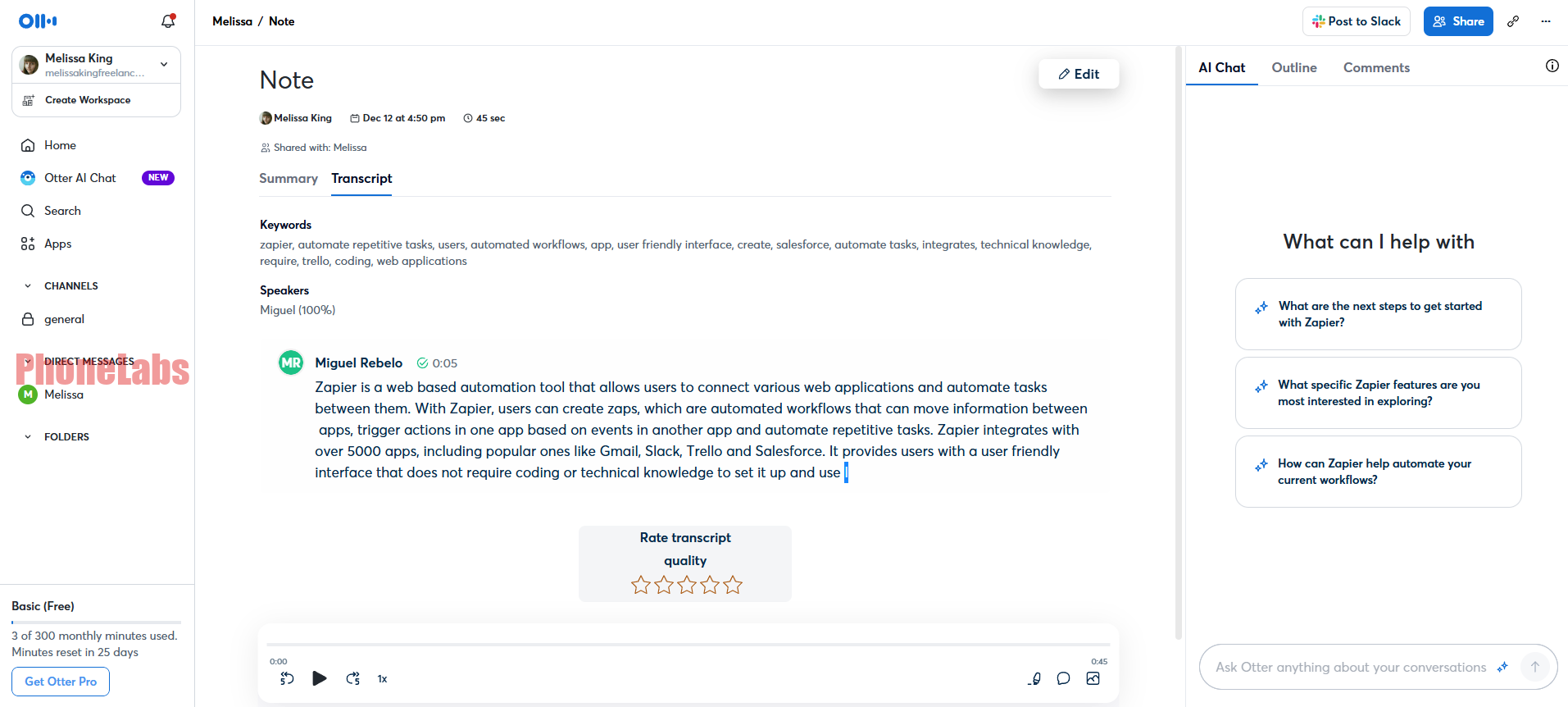
Otter.ai automatically converts spoken lectures into searchable text.
Useful features include:
- Live transcription
- Speaker identification
- Searchable notes
- Highlight important moments
- Meeting summaries
The free plan provides a limited number of transcription minutes each month.
Practical Tip: Always ask your instructor for permission before recording lectures if required by your school’s policy.
9. Consensus AI — Best for Academic Research
Consensus is designed specifically for academic literature.
Instead of searching the general web, it searches scientific publications to answer research questions.
Students can:
- Find peer-reviewed papers
- Compare research findings
- Read evidence summaries
- Explore scientific topics
It’s especially useful for college-level research projects.
Practical Tip: Use Consensus as a starting point before reading the full research papers.
10. Tome AI — Best for Creating Study Presentations
Tome transforms simple prompts into polished presentations.
Features include:
- AI slide generation
- Automatic layouts
- Images
- Storytelling structure
- Presentation editing
It’s particularly helpful for students who need visually engaging class presentations.
Practical Tip: Replace generic AI-generated images with your own visuals when possible.
11. Elicit — Best for Literature Reviews
Elicit is built for research-heavy assignments.
It helps students:
- Find relevant papers
- Summarize studies
- Compare findings
- Organize evidence
- Speed up literature reviews
Graduate students and researchers often use it to explore complex academic topics efficiently.
Practical Tip: Double-check citations before including them in your bibliography.
12. Adobe Express AI — Best for Creative Assignments
Adobe Express combines AI with simple design tools.
Students can create:
- Posters
- Flyers
- Videos
- Social graphics
- Classroom projects
- Marketing presentations
Its AI image generation and text effects help produce professional-looking projects quickly.
Practical Tip: Keep your designs simple and readable instead of adding too many AI-generated effects.
Comparison Table: Best Free AI Tools for Students 2026
| Tool | Best For | Free Plan | Platform |
|---|---|---|---|
| ChatGPT Free | Writing & tutoring | Yes | Web, iOS, Android |
| Google NotebookLM | Research summaries | Yes | Web |
| Perplexity AI | AI search | Yes | Web, iOS, Android |
| Grammarly Free | Grammar checking | Yes | Web, Desktop, Mobile |
| Wolfram Alpha | Math & science | Yes | Web, Mobile |
| Canva AI | Presentations | Yes | Web, iOS, Android |
| Quizlet AI | Flashcards | Yes | Web, Mobile |
| Otter.ai | Lecture transcription | Yes | Web, iOS, Android |
| Consensus AI | Academic research | Yes | Web |
| Tome AI | AI presentations | Yes | Web |
| Elicit | Literature reviews | Yes | Web |
| Adobe Express AI | Creative projects | Yes | Web, iOS, Android |
Practical Tip: Choose tools based on your coursework rather than trying to use every AI app available.
Are AI Tools Allowed in School? What You Need to Know
The answer depends on your school, instructor, and assignment.
Many schools now allow AI for:
- Brainstorming
- Studying
- Grammar checking
- Research assistance
- Learning concepts
However, submitting AI-generated work as your own may violate academic integrity policies.
Always review your school’s AI guidelines before using these tools for graded assignments.
Practical Tip: When in doubt, ask your instructor how AI can be used appropriately for a specific assignment.
How to Use AI Ethically as a Student
AI should support learning—not replace it.
Good practices include:
- Verify facts.
- Cite sources when required.
- Rewrite ideas in your own words.
- Avoid submitting AI-generated essays unchanged.
- Use AI to learn, practice, and organize information.
The most successful students use AI as a study partner rather than a shortcut.
Practical Tip: Treat AI like a tutor that explains concepts instead of a tool that completes your homework for you.
FAQ: Free AI Tools for Students
1. What is the best free AI tool for students in 2026?
ChatGPT Free is one of the most versatile options, while Google NotebookLM, Perplexity AI, and Grammarly Free are also excellent depending on your needs.
Practical Tip: Start with one or two tools and learn them well before adding more to your study routine.
2. Are these AI tools really free?
Yes. All of the tools listed offer free plans, although some include optional premium features with additional capabilities.
Practical Tip: Compare the limits of each free plan before deciding whether an upgrade is worthwhile.
3. Can AI help improve grades?
AI can help you study more effectively, organize information, and understand difficult topics, but your own effort and critical thinking remain the biggest factors in academic success.
Practical Tip: Use AI to explain concepts you find challenging instead of relying on it to provide final answers.
4. Which AI tool is best for research papers?
Google NotebookLM, Consensus AI, Elicit, and Perplexity AI are among the strongest choices for research because they help organize information and connect you with reliable sources.
Practical Tip: Read the original research papers instead of relying only on AI summaries.
5. Can AI detect plagiarism?
Some AI tools include plagiarism detection as part of paid plans, while others focus on grammar, writing, or research. Regardless, students should always submit original work and properly credit any sources they use.
Practical Tip: Proofread your final assignment carefully to ensure it reflects your own understanding and writing style.
The best free AI tools for students 2026 can make studying more organized, efficient, and engaging when used responsibly. Whether you’re writing essays with ChatGPT, summarizing lecture notes in NotebookLM, solving equations with Wolfram Alpha, or designing presentations in Canva, these free tools can save time while helping you build stronger academic skills. The key is to use AI as a learning companion—not a replacement for your own knowledge and creativity.