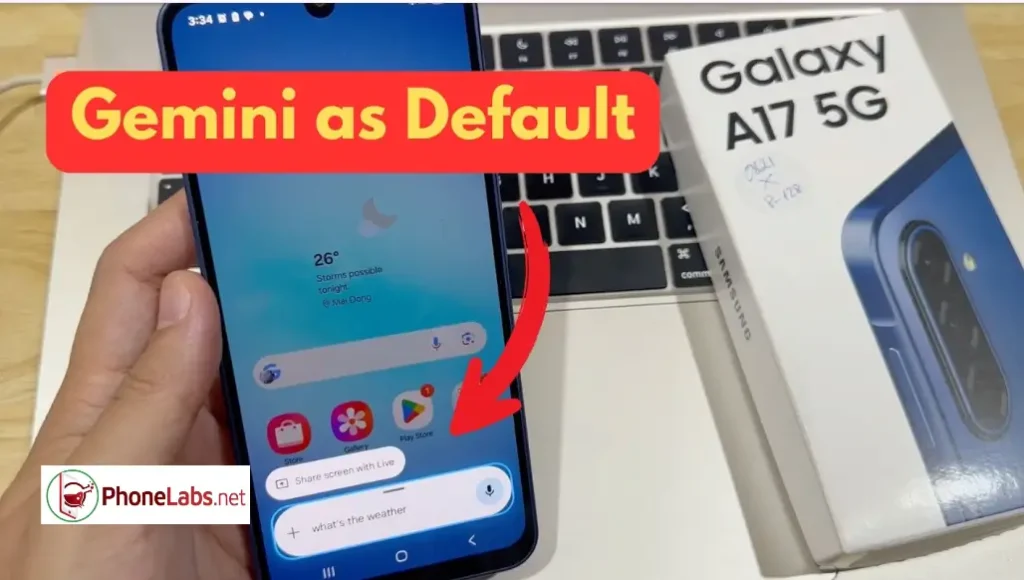

With the rise of AI-powered assistants, many users are now looking to switch from traditional assistants like Google Assistant or Bixby to the more advanced Google Gemini. In this guide by phonelabs.net, you’ll learn everything you need to know about setting Gemini as your default assistant, switching back if needed, and understanding how it compares to other assistants.
Are Google Assistant and Gemini the Same Thing?
No, they are not the same.
- Google Assistant is a voice-based assistant designed for tasks like setting alarms, controlling smart devices, and answering basic questions.
- Gemini is a more advanced AI assistant powered by generative AI, capable of deeper conversations, content creation, and smarter task handling.
Think of Gemini as the next evolution of Google Assistant, combining voice control with AI intelligence.
Benefits of Using Gemini on Android
Switching to Google Gemini offers several advantages:
- More intelligent responses with context awareness
- Content creation (emails, articles, summaries)
- Better productivity tools integration
- Natural conversation experience
- Advanced problem-solving abilities
For users who rely on their phones for work or content creation, Gemini is a major upgrade.
How to Set Gemini as Your Default Assistant on Android
Follow these steps on any Android device:
Method 1 (Inside Gemini App)
- Download and install the Gemini app from Google Play.
- Open the app and sign in.
- You’ll be prompted to set Gemini as your default assistant.
- Tap “Set as default” and confirm.
Method 2 (Manual Settings)
- Open Settings
- Go to Apps
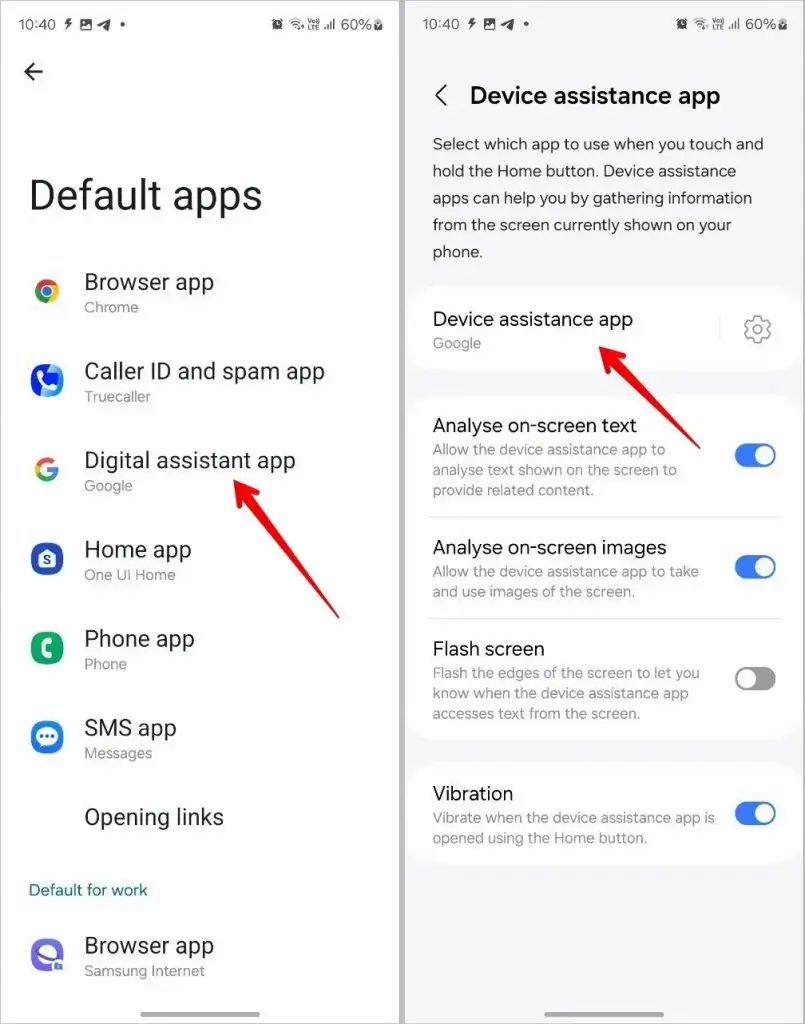
- Tap Default apps
- Select Digital assistant app
- Choose Gemini
Don’t Miss: 7 Best NotebookLM Open-Source Alternatives.. Privacy-First AI for Studying
How to Set Gemini as Default Assistant on Samsung (Replace Bixby)
On Samsung devices, the default assistant is usually Bixby.
Steps:
- Open Settings
- Go to Apps
- Tap Choose default apps
- Select Digital assistant app
- Choose Gemini
Now, when you long-press the power button or swipe gesture, Gemini will launch instead of Bixby.
Default Digital Assistant App (What It Means)
The default assistant app is the app that opens when you:
- Long-press the home button
- Swipe from the corner (gesture navigation)
- Press a dedicated assistant button
You can switch this anytime in Android settings.
How to Switch Back to Google Assistant from Gemini
If you prefer the classic experience, you can easily revert to Google Assistant:
- Open Settings
- Go to Apps
- Tap Default apps
- Select Digital assistant app
- Choose Google Assistant
This restores the traditional voice assistant instantly.
How to Set Google Assistant as Default on Samsung
If your Samsung phone is using Bixby and you want Google Assistant:
- Open Settings
- Go to Apps → Default apps
- Tap Digital assistant app
- Select Google Assistant
How to Set Gemini as Default Assistant on iPhone
On iPhone, things are more limited due to Apple restrictions.
What You Can Do:
- Install the Gemini app from the App Store
- Use it manually like a chatbot
- Add it as a widget (if supported)
Limitation:
You cannot replace Siri as the default assistant on iOS.
How to Change Default Assistant on Android (Quick Summary)
For any Android device:
- Go to Settings
- Tap Apps
- Open Default apps
- Select Digital assistant app
- Choose your preferred assistant:
- Gemini
- Google Assistant
- (or others)
Switching to Google Gemini can significantly improve how you interact with your smartphone, especially if you value AI-powered productivity and smarter responses. While Android gives full control over your default assistant, iPhone users are still limited to using Gemini as a secondary app.
Whether you stick with Google Assistant or upgrade to Gemini, the choice depends on how advanced you want your digital assistant to be.
Frequently Asked Questions
1. What is Google Gemini?
Google Gemini is an advanced AI-powered assistant developed by Google that goes beyond traditional voice assistants by offering smarter responses, content creation, and deeper conversation abilities.
2. Is Gemini better than Google Assistant?
It depends on your needs. Google Gemini is better for AI tasks like writing and problem-solving, while Google Assistant is more optimized for quick voice commands and smart home control.
3. Can I use Gemini as my default assistant on Android?
Yes, you can set Google Gemini as your default assistant through the system settings or during app setup.
4. How do I change my default assistant on Android?
Go to:
- Settings
- Apps
- Default apps
- Digital assistant app
Then choose your preferred assistant like Gemini or Google Assistant.
5. Can I replace Bixby with Gemini on Samsung phones?
Yes. On Samsung devices, you can replace Bixby by selecting Gemini as the default digital assistant in settings.
6. Is Gemini available on all Android devices?
Gemini is available on most modern Android devices, but availability may depend on region, device compatibility, and OS version.
7. Can I set Gemini as the default assistant on iPhone?
No. On iPhone, you cannot replace the default assistant due to system restrictions by Apple. However, you can still use the Gemini app manually.
8. What is a default digital assistant app?
It is the app that launches when you:
- Long-press the home button
- Use gesture shortcuts
- Press the assistant button
9. How do I switch back to Google Assistant from Gemini?
Simply go to:
- Settings → Apps → Default apps → Digital assistant app
- Select Google Assistant
10. Does Gemini support voice commands?
Yes, Google Gemini supports voice input, but its strength lies in AI-based conversations and advanced tasks.
11. Is Gemini free to use?
Gemini offers both free and premium features depending on your usage and region.
12. Do I need a Google account to use Gemini?
Yes, a Google account is required to access and use Gemini features.
13. Can Gemini control smart home devices?
Currently, Google Assistant is still better optimized for smart home control, but Gemini continues to improve in this area.
14. Why can’t I find Gemini in my settings?
Possible reasons include:
- App not installed
- Device not supported
- Region restrictions
- Outdated Android version
15. How do I update Gemini?
Update it through the Google Play Store like any other app.
16. Can I use both Gemini and Google Assistant together?
Yes, but only one can be set as the default assistant at a time.
17. Does Gemini work offline?
No, Google Gemini requires an internet connection to function properly.
18. Is Gemini safe to use?
Yes, it follows Google’s security and privacy standards, but always review permissions before use.
19. What Android version is required for Gemini?
Typically Android 10 or later is recommended for smooth performance.
20. How do I launch Gemini quickly?
You can launch it by:
- Long-pressing the home button
- Using gesture navigation
- Opening the app manually
21. Can Gemini write emails and articles?
Yes, one of the main strengths of Google Gemini is content creation, including emails, blogs, and summaries.
22. Does Gemini replace Google Assistant completely?
Not entirely. Gemini is still evolving, and some features of Google Assistant are still more reliable for daily tasks.
23. Why should I switch to Gemini?
You should switch if you want:
- Smarter AI responses
- Content generation
- Advanced productivity tools
24. Can I uninstall Gemini after setting it as default?
Yes, but your device will revert to another assistant like Google Assistant or Bixby.
25. What is the future of Gemini on Android?
Google Gemini is expected to become the main AI assistant on Android, gradually replacing traditional assistants over time.