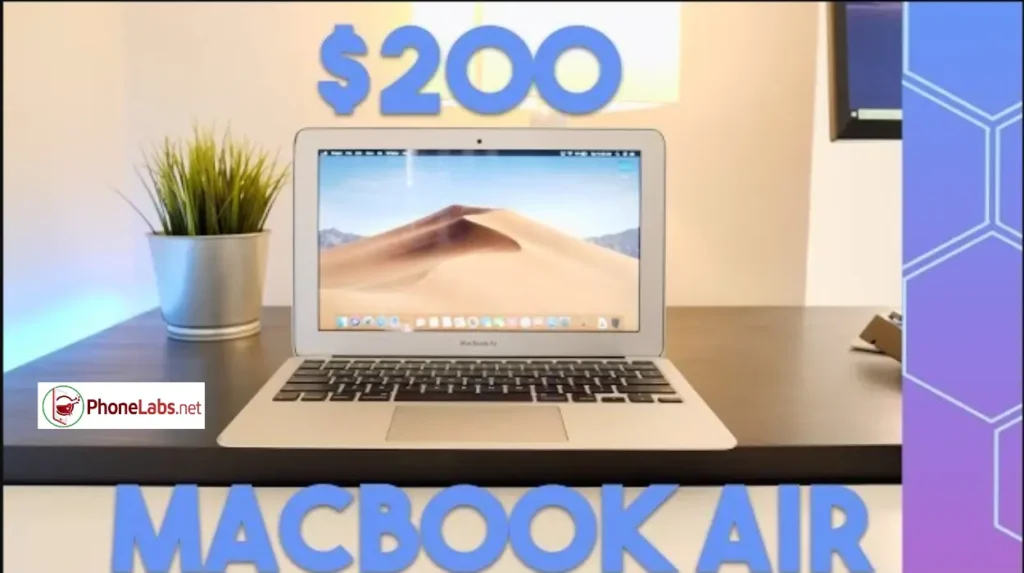

In today’s fast-moving laptop market, many buyers face a common dilemma: should you save money on a budget laptop, or spend just a bit more for a premium experience? One of the most popular comparisons right now is whether paying an extra $200 for a MacBook Air is actually worth it in 2026.
What’s New in the Latest MacBook Air
The latest generation of the MacBook Air continues to build on its strong reputation, offering improvements in performance, efficiency, and everyday usability.
- Faster performance thanks to newer Apple Silicon chips
- Improved multitasking with better memory handling
- Larger base storage compared to older models
- Faster SSD speeds for quicker app loading
- Enhanced wireless connectivity with modern standards
These updates make the MacBook Air more capable than ever for both work and personal use.
Don’t Miss: How to Set Gemini as Your Default Assistant on Android & Samsung Step-by-Step Guide
Why the $200 Upgrade Matters
At first glance, $200 might not seem like a huge difference, but in the laptop world, it can significantly impact your overall experience.
What you gain:
- A premium aluminum design that feels durable and high-end
- Longer device lifespan with consistent performance
- Access to the seamless macOS ecosystem
- Better resale value compared to most budget laptops
When viewed as a long-term investment, that extra $200 often pays off.
Performance vs Budget Laptops
Compared to typical budget laptops, the MacBook Air offers:
- Optimized performance due to tight integration between hardware and software by Apple
- Fanless design, which means completely silent operation
- Excellent battery life, often lasting a full day
On the other hand, cheaper laptops may still offer:
- More ports and connectivity options
- Upgradeable components
- Better compatibility with certain Windows-only programs
When Paying Extra Is Worth It
Spending the additional $200 makes sense if you:
- Need a reliable laptop for long-term use
- Work on tasks like writing, browsing, or light creative work
- Prefer a lightweight and portable device
- Already use other Apple devices like iPhone or iPad
When It’s Not Worth It
You may want to save your money if:
- You rely heavily on Windows-specific software
- You need a laptop mainly for gaming
- Your usage is limited to very basic tasks like browsing or streaming
In 2026, paying an extra $200 for a MacBook Air is often a smart decision for users who value performance, design, and long-term reliability. While budget laptops can still handle basic needs, the MacBook Air offers a more refined and future-proof experience.
Ultimately, the choice depends on your priorities—but if you can afford the upgrade, it’s usually worth it.
MacBook Air vs Budget Laptop
| Feature | MacBook Air | Budget Laptop |
|---|---|---|
| Build Quality | Premium aluminum | Mostly plastic |
| Battery Life | 15–18 hours | 6–10 hours |
| Noise | Silent (fanless) | Cooling fan noise |
| Display | Bright, color-accurate | Average quality |
| Performance | Excellent for daily work | Varies by model |
| Software Updates | Long-term support | Depends on manufacturer |
| Resale Value | High | Low |
Hidden Costs of Buying a Budget Laptop
Many buyers focus only on the initial purchase price, but cheaper laptops often come with hidden long-term costs.
These may include:
- Shorter battery lifespan
- Slower performance after a few years
- Lower resale value
- Less reliable build quality
- Limited software support
When these factors are considered, the price gap between a budget laptop and a MacBook Air becomes much smaller over time.
Who Should Buy a MacBook Air?
The MacBook Air is ideal for:
- College and university students
- Remote workers
- Writers and bloggers
- Business professionals
- Content creators who edit photos or light videos
- Travelers who need long battery life
Who Should Choose a Budget Windows Laptop?
A budget Windows laptop may be the better option if you:
- Need Windows-only applications
- Prefer upgrading RAM or storage later
- Want more USB and HDMI ports
- Play PC games
- Have a very limited budget
Long-Term Value: Cost Per Year
Instead of thinking only about the purchase price, consider how long you’ll keep the laptop.
Example:
- Budget laptop: $600, lasts around 4 years
- MacBook Air: $800, lasts around 7–8 years
The yearly ownership cost is surprisingly similar, while the MacBook Air often delivers a better experience throughout its lifespan.
Frequently Asked Questions
Is the MacBook Air worth $200 more than a budget laptop?
For most students, professionals, and everyday users, yes. The better build quality, battery life, and long-term performance often justify the additional cost.
Can the MacBook Air replace a Windows laptop?
For most everyday tasks—including web browsing, office work, video calls, programming, and media consumption—it can. However, users who rely on Windows-exclusive software may prefer a Windows laptop.
Is the MacBook Air good for gaming?
Not really. While it can run some casual and Apple-supported games, dedicated gaming laptops remain the better choice for serious gamers.
How long does a MacBook Air typically last?
With proper care, many users keep a MacBook Air for 7 to 10 years, thanks to Apple’s long software support and efficient hardware.